Hourbook · by Tarahbi Apps
Track billable hours, invoice in one tap.
Hourbook is a time tracker and invoice maker that stays on your phone. Start a timer for any client at their hourly rate, then turn your unbilled hours into a clean PDF invoice in a single tap, carrying your logo, your tax details and your bank or payment link. No account, no ads, and it works fully offline. Your first three invoices are free, and they look exactly like the paid ones.
What Hourbook does
From tracked time to paid invoice.
- A one-tap timer for any client at their hourly rate, plus manual time entry for work done away from your phone.
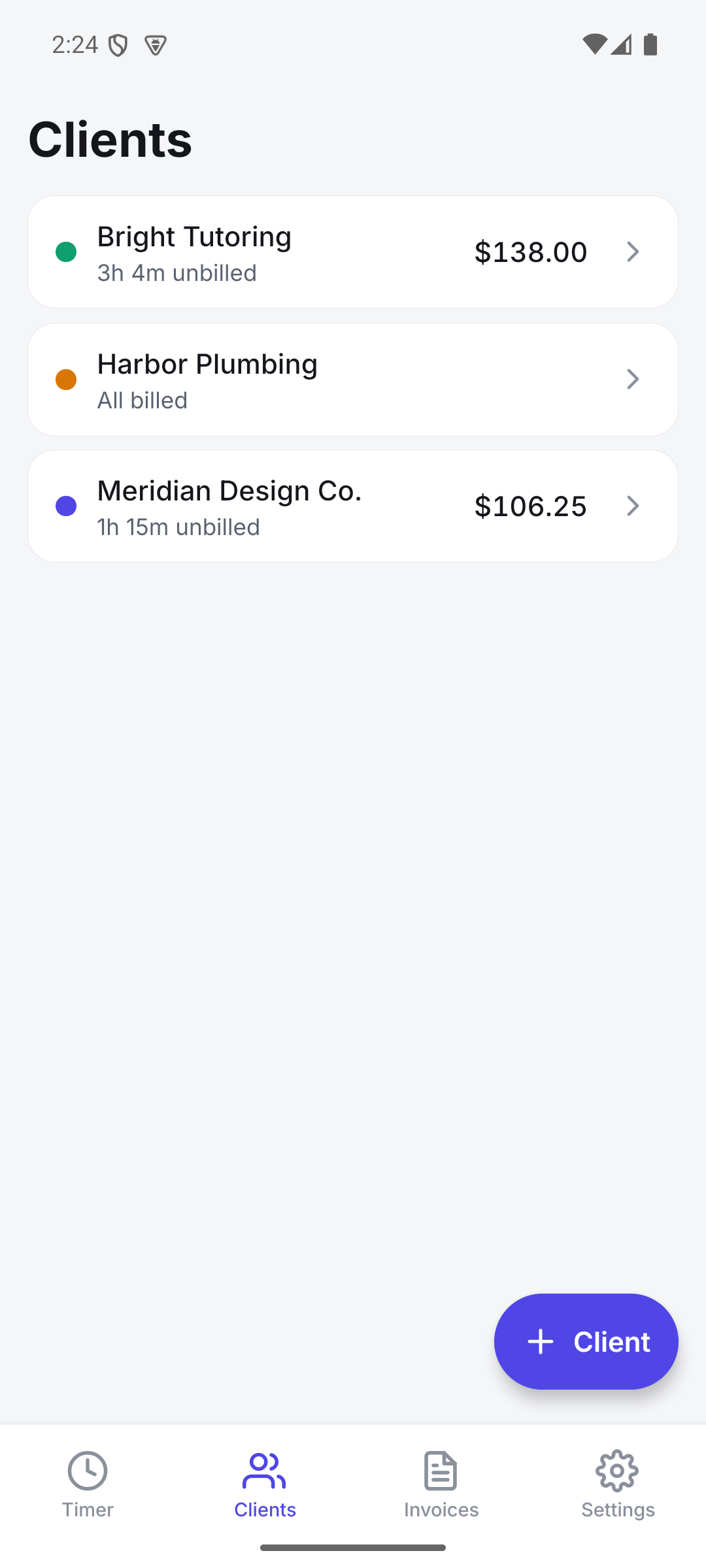
- Unlimited clients and projects, each with their own rate.
- Put your bank details, IBAN, PayPal or Wise link on the invoice. Links are tappable in the PDF, so clients can pay you straight from it.
- English and Dutch, with dates and amounts written the way your country writes them. Bill each client in their own language.
- Country presets for the rows your invoice needs, whether that is BTW and KvK, a VAT number, or an EIN.
- Choose how invoices are numbered: INV-0001, 2026-0001, or a format of your own.
- Turn a client's unbilled hours into itemized invoice lines automatically.
- Add fixed fees and expenses, then apply tax and discounts.
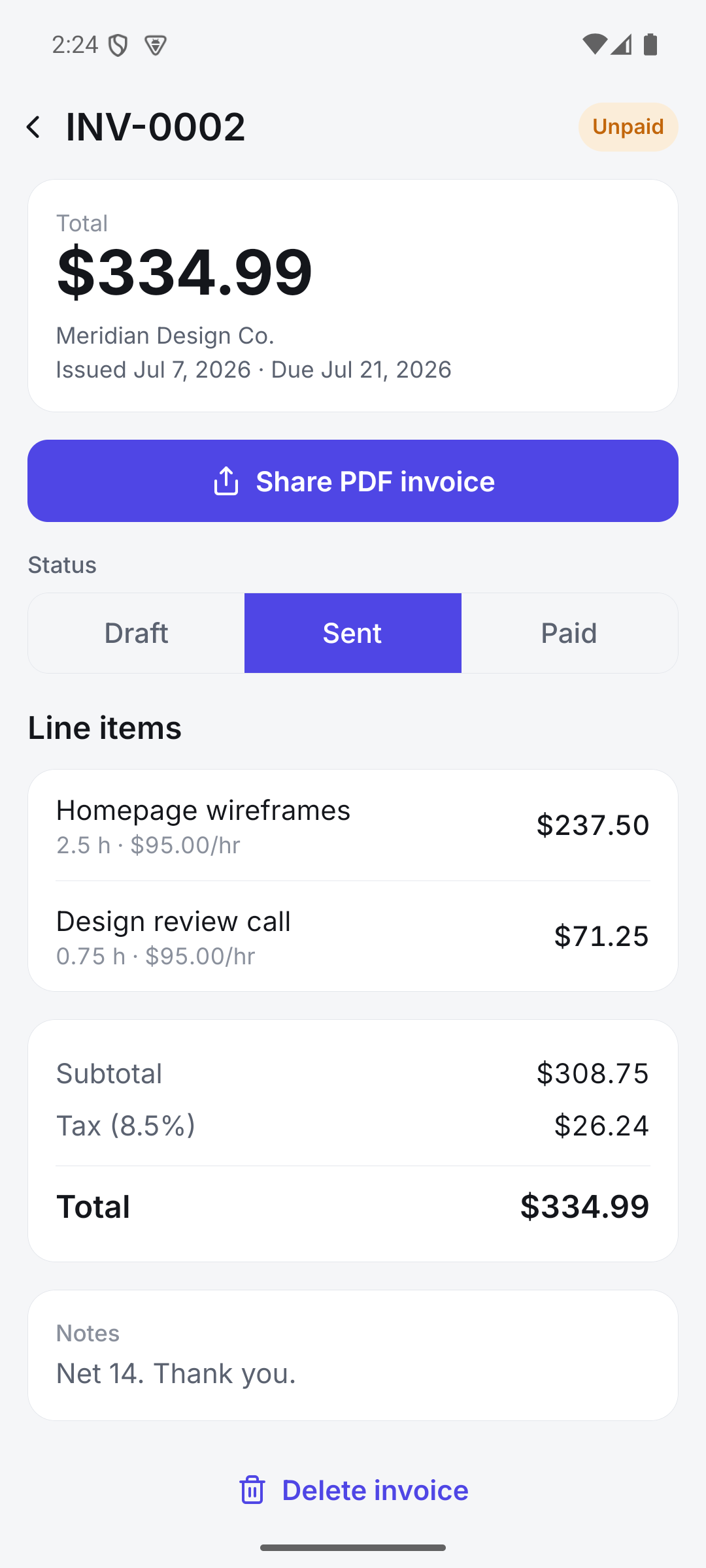
- Clean, professional PDF invoices you can share by email, messaging, or anything else.
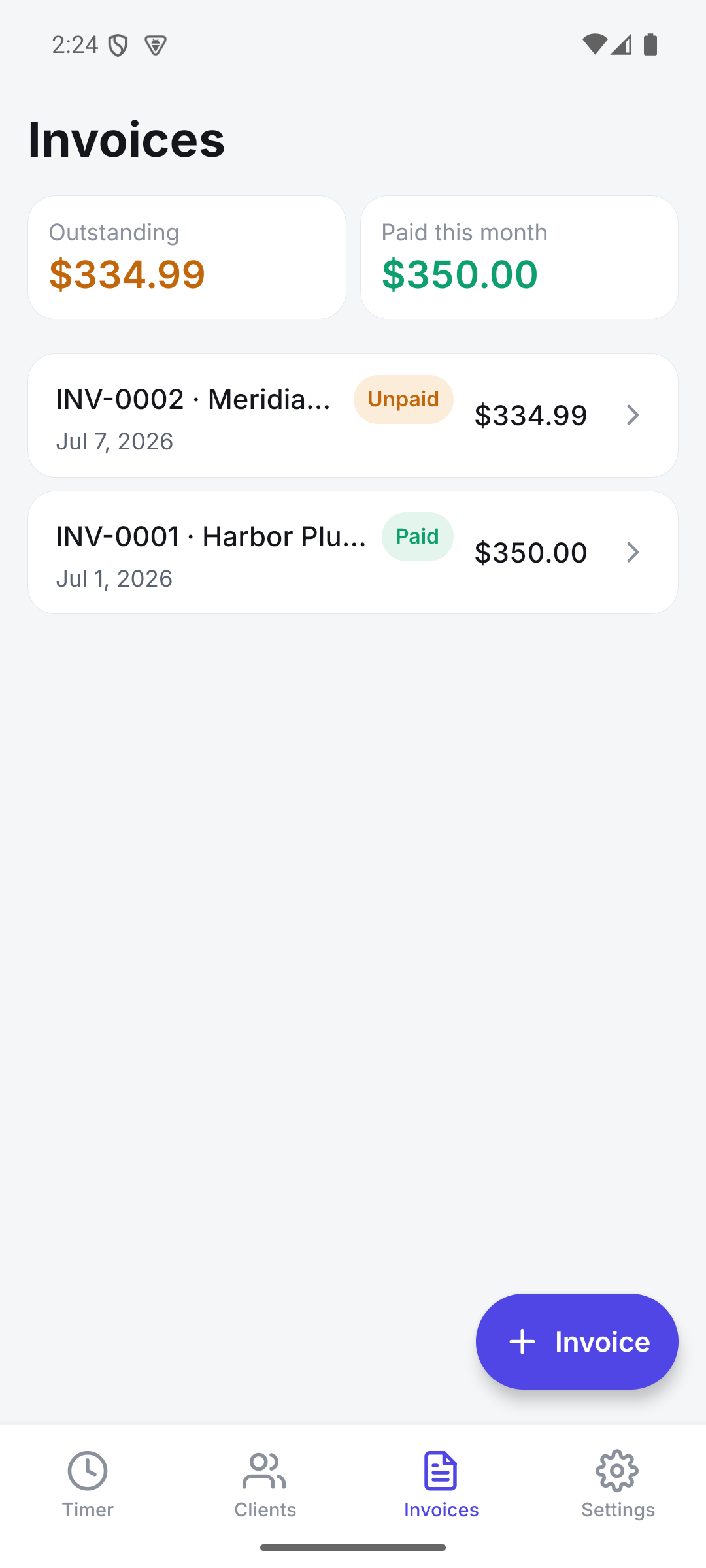
- Mark invoices sent or paid and see exactly what is still outstanding.
- Round tracked time to the nearest 6, 15, or 30 minutes when you bill that way.
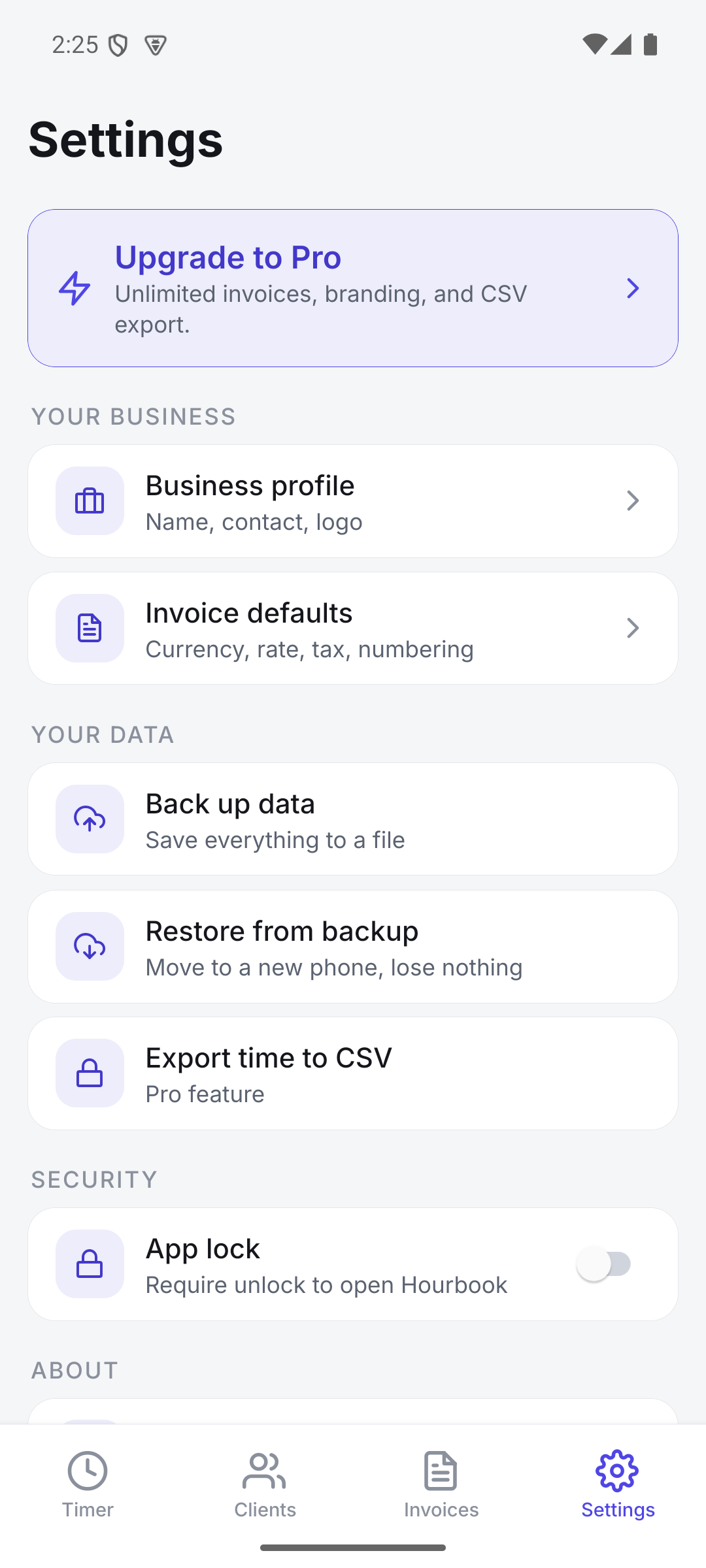
- Full local backup and restore, so moving to a new phone loses nothing.
- CSV export for your spreadsheet or accountant.
- Optional biometric app lock, with light and dark themes.
The document
This is what your client opens.
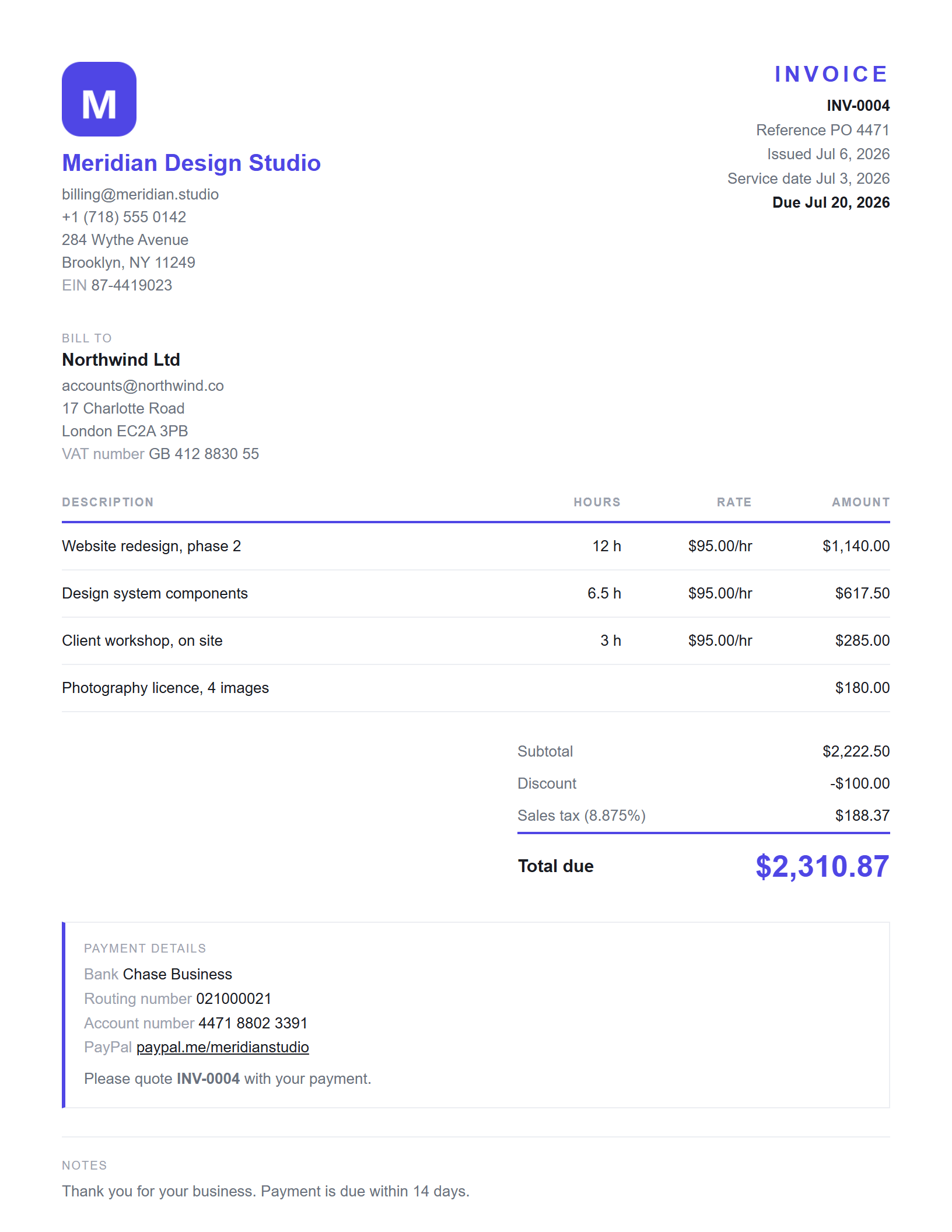
A real PDF, generated on your phone. No watermark, no Hourbook name anywhere on it.
Your logo and your accent colour sit at the top. Your tax number, company number, or whatever your country asks for, goes underneath. The client's own details and VAT number go beside them.
The total due is the biggest thing on the page, and how to pay you sits right under it: bank, IBAN, PayPal, Wise, whatever you use. Links are tappable straight from the PDF.
All of it is free. Hourbook never charges you for the way your work looks to your client.
A look inside
Track, review, invoice, get paid.
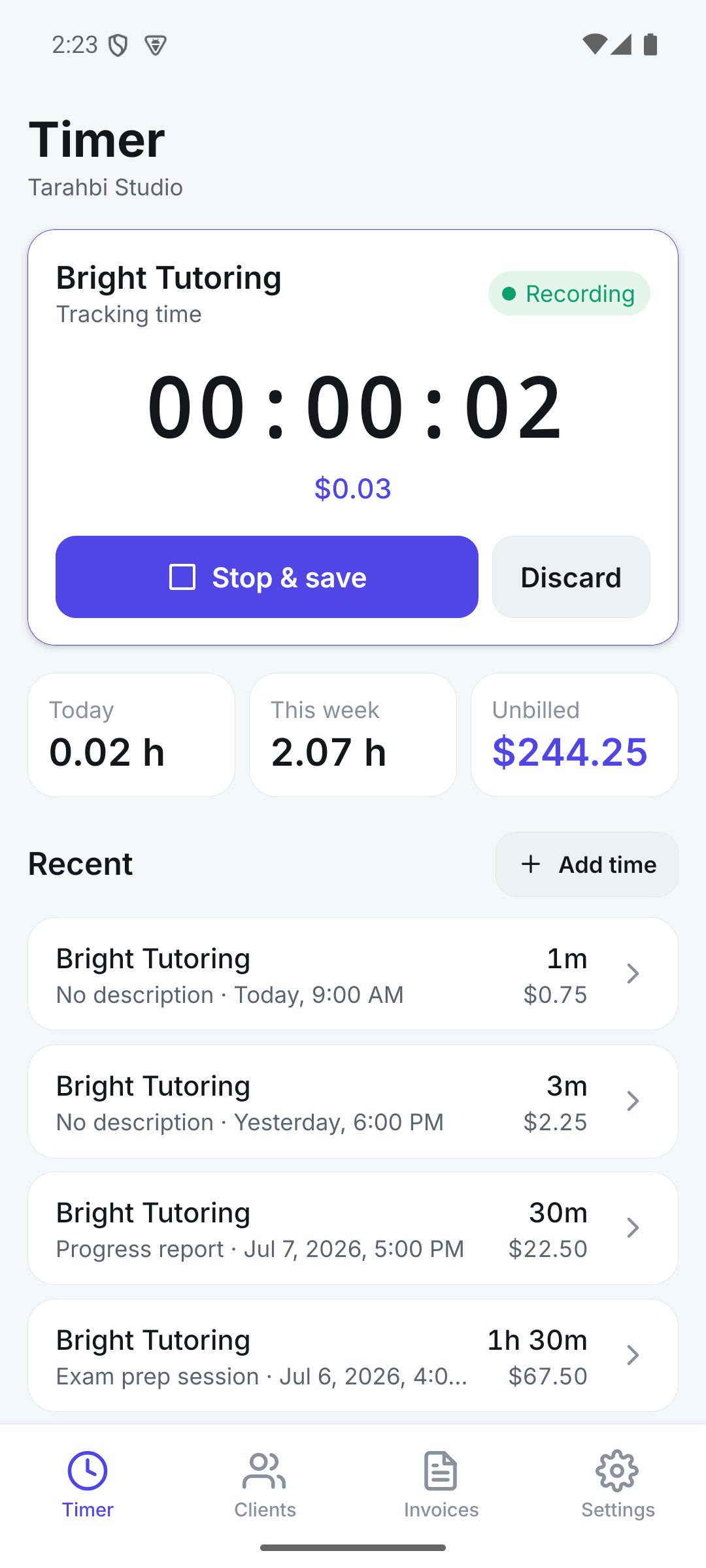
From starting a timer to sending a polished invoice and marking it paid, every step happens privately on your device.
Pricing
Track for free, upgrade to bill without limits.
Hourbook is free to download. Track unlimited time, add unlimited clients, and send your first 3 invoices at no cost, with your own logo and no Hourbook watermark. Nothing your client sees is ever locked. When you need more than three, go Pro monthly, yearly, or once for lifetime access.
Free
Free to keep, forever
- Unlimited time tracking and manual entries
- Unlimited clients and projects
- Your first 3 PDF invoices
- Full backup and restore
- Optional app lock, light and dark themes
Hourbook Pro
$69.99 / year
or $8.99 / month, or $199.99 once for lifetime access.
- Everything in Free, plus:
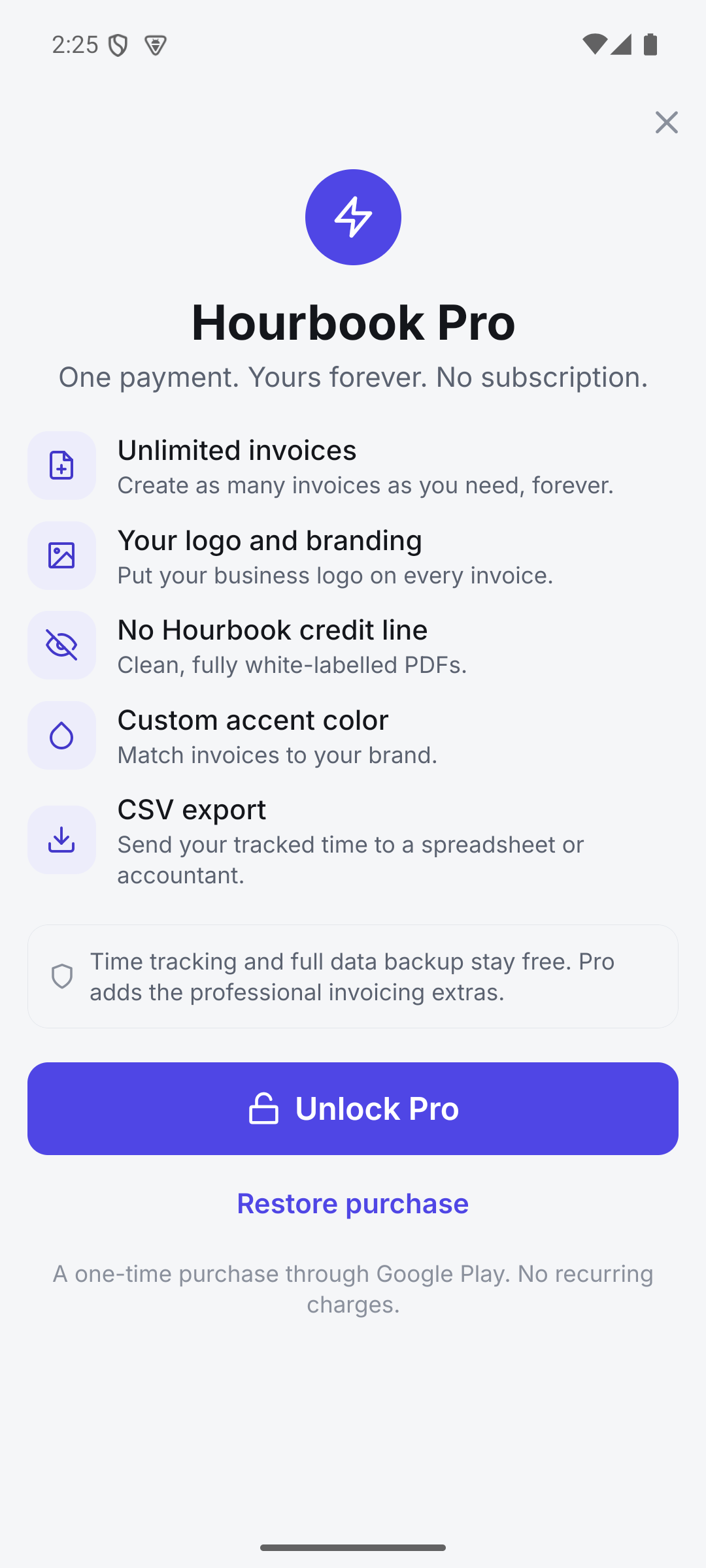
- Unlimited invoices
- Your business logo on every invoice
- A clean look with no Hourbook credit line
- Custom invoice accent color
- CSV export for spreadsheets and accountants
Time tracking and full data backup are never locked behind Pro. Prices are set in Google Play and shown in your local currency; billing is handled by Google Play, so we never see your payment details.
Privacy by design
Your clients and rates never leave your phone.
Hourbook makes no network calls and collects nothing about you. Your clients, time, and invoices live in an on-device database, and only leave your phone if you choose to share an invoice or a backup file yourself.
Availability
Get Hourbook
Hourbook is launching on Android first. Follow along for the release, or reach out with questions.
Coming soon to Google Play